

Innovative Solutions for High Speed Data Capture in Exams & Assessments

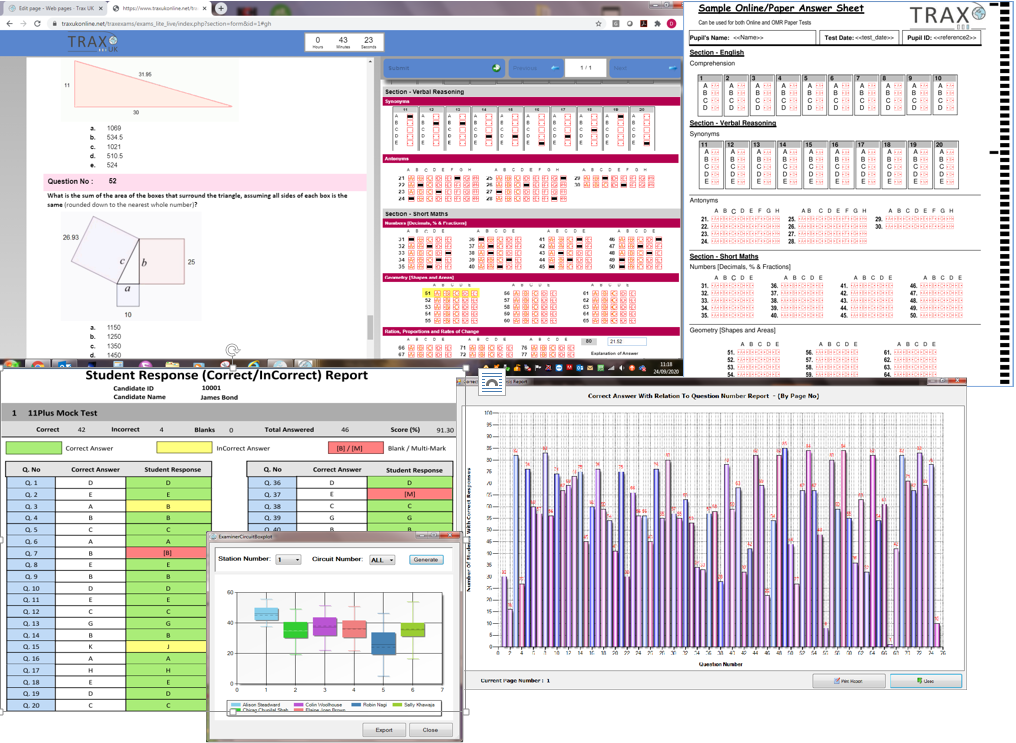
Multi-Test Examination System
Examination, testing and assessment systems for online or on paper (OMR/Image) with options to undertake pratical assessments (OSCE/OSPE's) in simulated real life scenarios.

Multi-Survey
Create your own forms to undertake surveys, monitoring and assessments using combined Image and OMR scanners or online/offline technologies.

Question Bank
Advanced powerful Question/Item Bank system that can be used as stand alone solution or in conjunction with our Multi-Test Examinations software to improve question performance/setting.
Our Software revolutionises the way you can run Exams, Assessments, OSCE's, Tests & Surveys.
An integrated system that allows you to:
-
Combine online and paper technologies together in one package to meet any location requirements
-
Analyse and report on your processed data at the click of a button on demand.
-
Create, link, store and report on question statistics in our Question/Item Bank module.
-
'Design once use on any platform' form formats that can be tailored to YOUR needs.
-
Guaranteed accuracy using tablet based e-marking and paper solutions with full audit trail and form image retreival.
What our software consists of:
- Multi-Test
- Practical Examinations (OSPE/OSCE)
- Question Item Bank
- Trax Management System
- Scripted Online Marking System
- Online Package Manager
- PIP (Performance Improvement Process)
- Order Processing & Production System with Invoicing.
- Bespoke Systems- Integration with 3rd Party MIS and Online Testing Systems
-
Bespoke Systems - Tailored solutions to your specification.
|
What Makes Us Unique!
|